Skip to content
Solutions
Education
Insurance
Automotive
Real Estate
Healthcare
Chatbots
Free Chatbots
ChatGPT
WhatsApp + ChatGPT
Create an AI Chatbot
Chatbot Prompt Generator
WhatsApp Ads
For WhatsApp
Chatbot for Sales
Integrations
ChatGPT
n8n
Make
WhatsApp Business API
Zoho Suite & WhatsApp
Zoho CRM
Zoho Bigin
Features
Live chat
Meta Business Agent
WhatsApp Business App (Co-Existence)
WhatsApp Ecommerce
WhatsApp Flows
WhatsApp Broadcast Messages
WhatsApp Ads
WhatsApp Groups
WhatsApp Call
Partners
Pricing
Resources
Marketplace
Success stories
Growth Tools
Tutorials
Blog
Start for free
Log in
English
English
Español
Português
简体中文
العربية
Solutions
Education
Insurance
Automotive
Real Estate
Healthcare
Chatbots
Free Chatbots
ChatGPT
WhatsApp + ChatGPT
Create an AI Chatbot
Chatbot Prompt Generator
WhatsApp Ads
For WhatsApp
Chatbot for Sales
Integrations
ChatGPT
n8n
Make
WhatsApp Business API
Zoho Suite & WhatsApp
Zoho CRM
Zoho Bigin
Features
Live chat
Meta Business Agent
WhatsApp Business App (Co-Existence)
WhatsApp Ecommerce
WhatsApp Flows
WhatsApp Broadcast Messages
WhatsApp Ads
WhatsApp Groups
WhatsApp Call
Partners
Pricing
Resources
Marketplace
Success stories
Growth Tools
Tutorials
Blog
Start for free
Log in
English
English
Español
Português
简体中文
العربية
Do you want a personalized conversational solution?
Do you want a personalized conversational solution?
Start for FREE
Login
English
English
Español
Português
简体中文
العربية
Start for FREE
Login
English
English
Español
Português
简体中文
العربية
Solutions
Education
Insurance
Automotive
Real Estate
Healthcare
Integrations
ChatGPT
n8n
Make
WhatsApp Business API
Zoho Suite & WhatsApp
Zoho CRM
Zoho Bigin
Features
Live chat
Meta Business Agent
WhatsApp Business App Co-Existence
WhatsApp Ecommerce
WhatsApp Flows
WhatsApp Broadcast
WhatsApp Ads
WhatsApp Groups
WhatsApp Call
Pricing
Partners
Resources
Marketplace
Success stories
Tutorials
Growth Tools
Blog
Solutions
Education
Insurance
Automotive
Real Estate
Healthcare
Integrations
ChatGPT
n8n
Make
WhatsApp Business API
Zoho Suite & WhatsApp
Zoho CRM
Zoho Bigin
Features
Live chat
Meta Business Agent
WhatsApp Business App Co-Existence
WhatsApp Ecommerce
WhatsApp Flows
WhatsApp Broadcast
WhatsApp Ads
WhatsApp Groups
WhatsApp Call
Pricing
Partners
Resources
Marketplace
Success stories
Tutorials
Growth Tools
Blog
Talk to us
Generate email signatures with WhatsApp button
Create your professional signature in minutes
Customize your email signature with your information and add a WhatsApp button so your contacts can easily communicate with you.
Email Signature Generator - Woztell
Information
First Name *
Last Name *
Position
Department
Company *
Email *
Office Phone
Mobile Phone
Will be automatically copied to the WhatsApp field
WhatsApp (With international prefix)
Without the + symbol (E.g: 521234567890)
Website
WhatsApp Button Text
Initial WhatsApp Message
Address
City
State
Zip Code
LinkedIn
Facebook
Twitter/X
Instagram
Company Logo
Suggestion: Use a square logo with a transparent background (PNG)
Signature Design
Classic
Professional
Modern
Colors
Primary Color
Text Color
Background Color
By default it is white
Note: The WhatsApp button will always be corporate green
Footer
Legal Content
Generate Signature
Preview
HTML Code
Copy HTML
View Instructions
Gmail:
Open Gmail and click on the settings icon
Select "See all settings"
Under the "General" tab, find the "Signature" section
Copy the HTML code and paste it directly into the editor
Scroll down and click on "Save Changes"
Outlook (Web):
Click on the settings icon
Search for "Email signature"
Copy the HTML code and paste it into the signature editor
Click on "Save"
Outlook (Desktop):
Go to File → Options → Mail
Click on "Signatures..."
Create a new signature or edit an existing one
Use Ctrl+V to paste the copied HTML
Click on "OK"
HTML copied to clipboard!
New WOZTELL Conditions of Service: What’s changing
October 21, 2026
Read More »
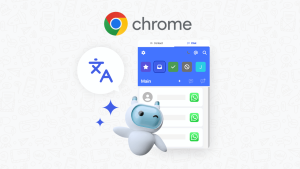
Inbox4all: WhatsApp Chrome extension for WOZTELL Inbox
October 20, 2026
Read More »
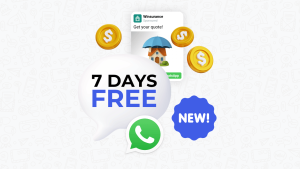
WhatsApp free messaging window extended to 7 days
October 19, 2026
Read More »
« Previous
Next »
New WOZTELL Conditions of Service: What’s changing
October 21, 2026
Read More »
« Previous
Next »
Solutions
Education
Insurance
Automotive
Real Estate
Healthcare
Integrations
ChatGPT
n8n
Make
WhatsApp Business API
Zoho Suite & WhatsApp
Zoho CRM
Zoho Bigin
Features
Live chat
Meta Business Agent
WhatsApp Business App Co-Existence
WhatsApp Ecommerce
WhatsApp Flows
WhatsApp Broadcast
WhatsApp Ads
WhatsApp Groups
WhatsApp Call
Pricing
Partners
Resources
Marketplace
Success stories
Tutorials
Growth Tools
Blog
Solutions
Education
Insurance
Automotive
Real Estate
Healthcare
Integrations
ChatGPT
n8n
Make
WhatsApp Business API
Zoho Suite & WhatsApp
Zoho CRM
Zoho Bigin
Features
Live chat
Meta Business Agent
WhatsApp Business App Co-Existence
WhatsApp Ecommerce
WhatsApp Flows
WhatsApp Broadcast
WhatsApp Ads
WhatsApp Groups
WhatsApp Call
Pricing
Partners
Resources
Marketplace
Success stories
Tutorials
Growth Tools
Blog
Solutions
Education
Insurance
Automotive
Real Estate
Healthcare
Integrations
ChatGPT
n8n
Make
WhatsApp Business API
Zoho Suite & WhatsApp
Zoho CRM
Zoho Bigin
Features
Live chat
Meta Business Agent
WhatsApp Business App Co-Existence
WhatsApp Ecommerce
WhatsApp Flows
WhatsApp Broadcast
WhatsApp Ads
WhatsApp Groups
WhatsApp Call
Pricing
Partners
Resources
Marketplace
Success stories
Tutorials
Growth Tools
Blog
Talk to us
Start for FREE
Login
English
Language
English
Language
Mega content is empty
Español
Language
Mega content is empty
Português
Language
Mega content is empty
简体中文
Language
Mega content is empty
العربية
Language
Mega content is empty