Inbox4all: Work on the WOZTELL Inbox from any tab in Chrome
Table of Contents
Inbox4all is a Chrome extension for WOZTELL users that brings WOZTELL Inbox into your browser, both inside the Inbox and on any web page you visit. It detects phone numbers on web pages so you can start a WhatsApp Business conversation in one click, opens the Inbox in Chrome’s Side Panel, translates messages and helps you draft replies with your own AI provider. Inbox4all is in beta, and version 2.0 is live on the Chrome Web Store.
From a phone number on any page to a WhatsApp chat
Plenty of WhatsApp conversations begin outside the Inbox. A lead’s number sits in your CRM, a supplier’s number is on their website, a customer’s number is in an order. Until now, reaching them meant copying the number, switching to WOZTELL Inbox and pasting it in.
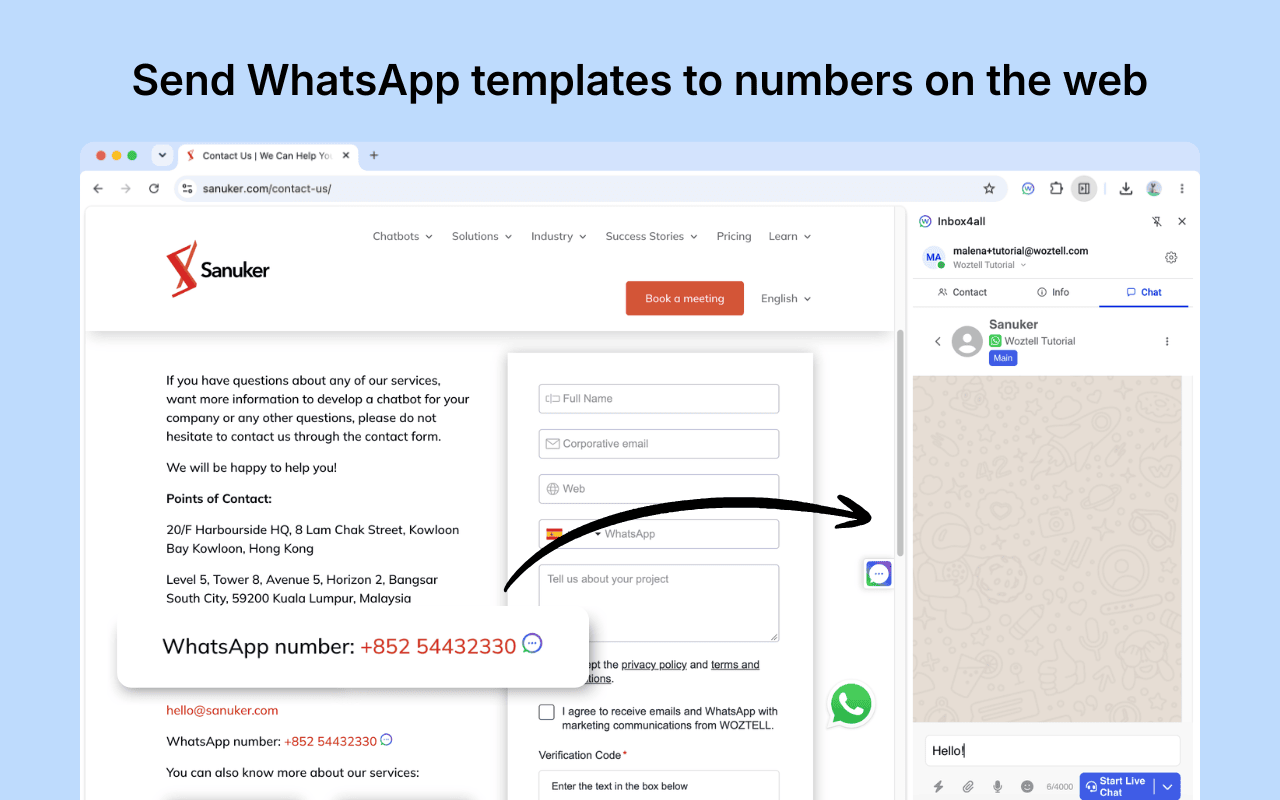
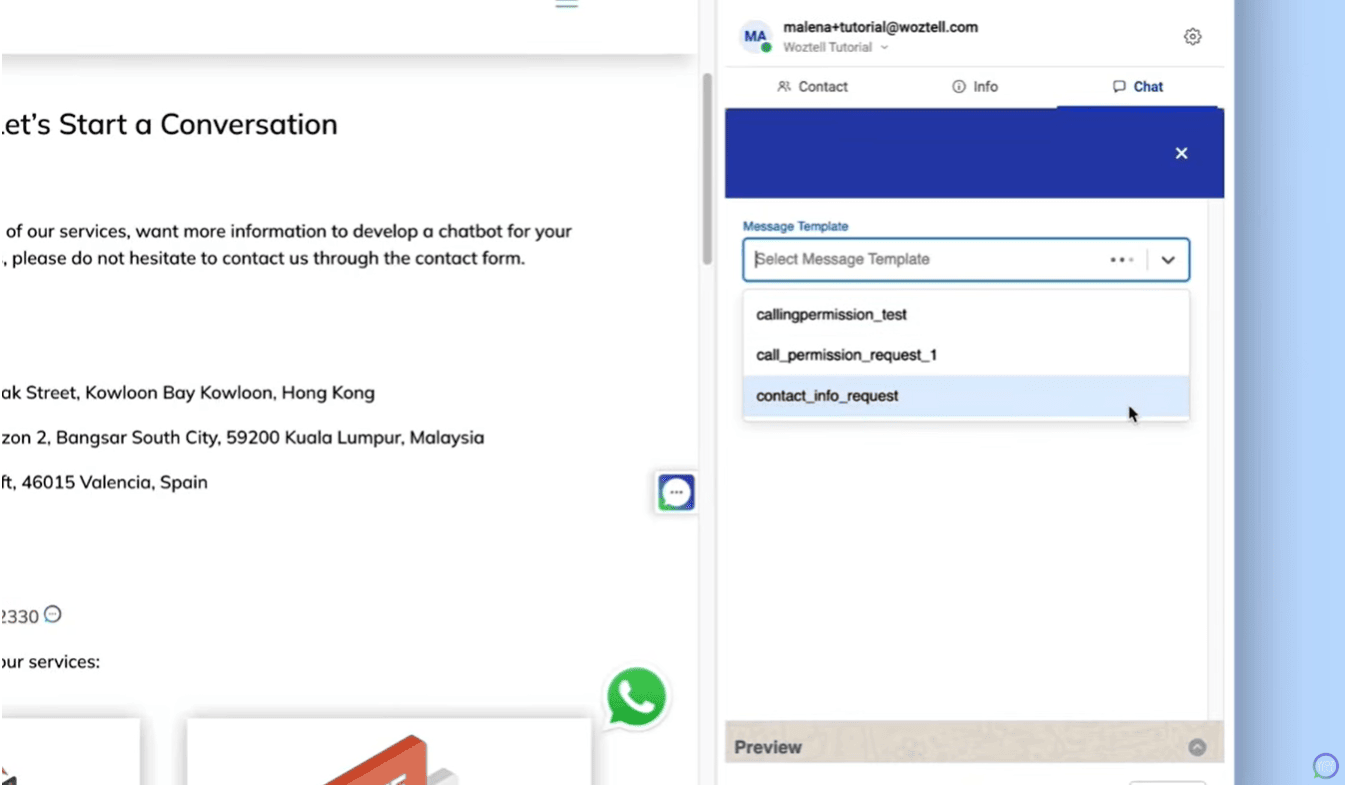
With WhatsApp quick action turned on, Inbox4all detects phone numbers on the page you’re viewing and adds a small icon next to each one. Click it and the number opens in the Side Panel, where you can start a WhatsApp Business conversation with one of your message templates. This is the main addition in version 2.0.
Keep the Inbox open while you work
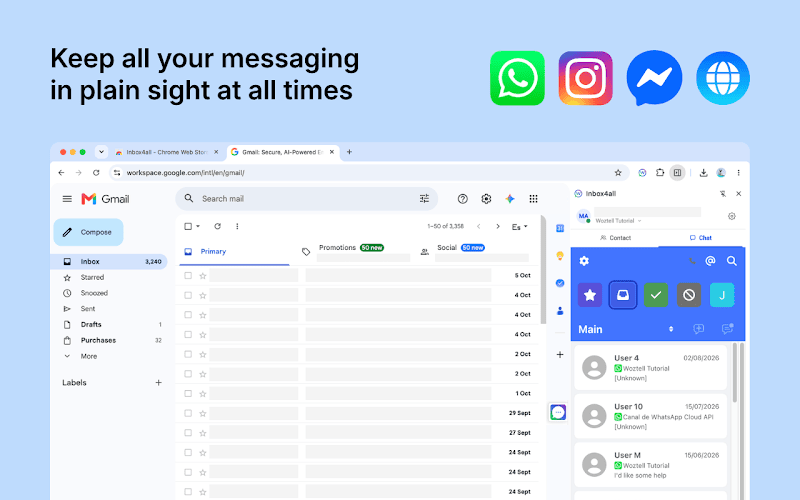
Side Panel mode opens WOZTELL Inbox in Chrome’s Side Panel, next to whatever page you have open. You can keep chatting with customers on WhatsApp while you check an order, update a CRM record or read a ticket.
The panel has three tabs. Contact is where you find or create the contact. Info is where you add tags and internal notes. Chat is the conversation itself, and from there you can also send a template to start a new one.
How do translation and AI replies work?
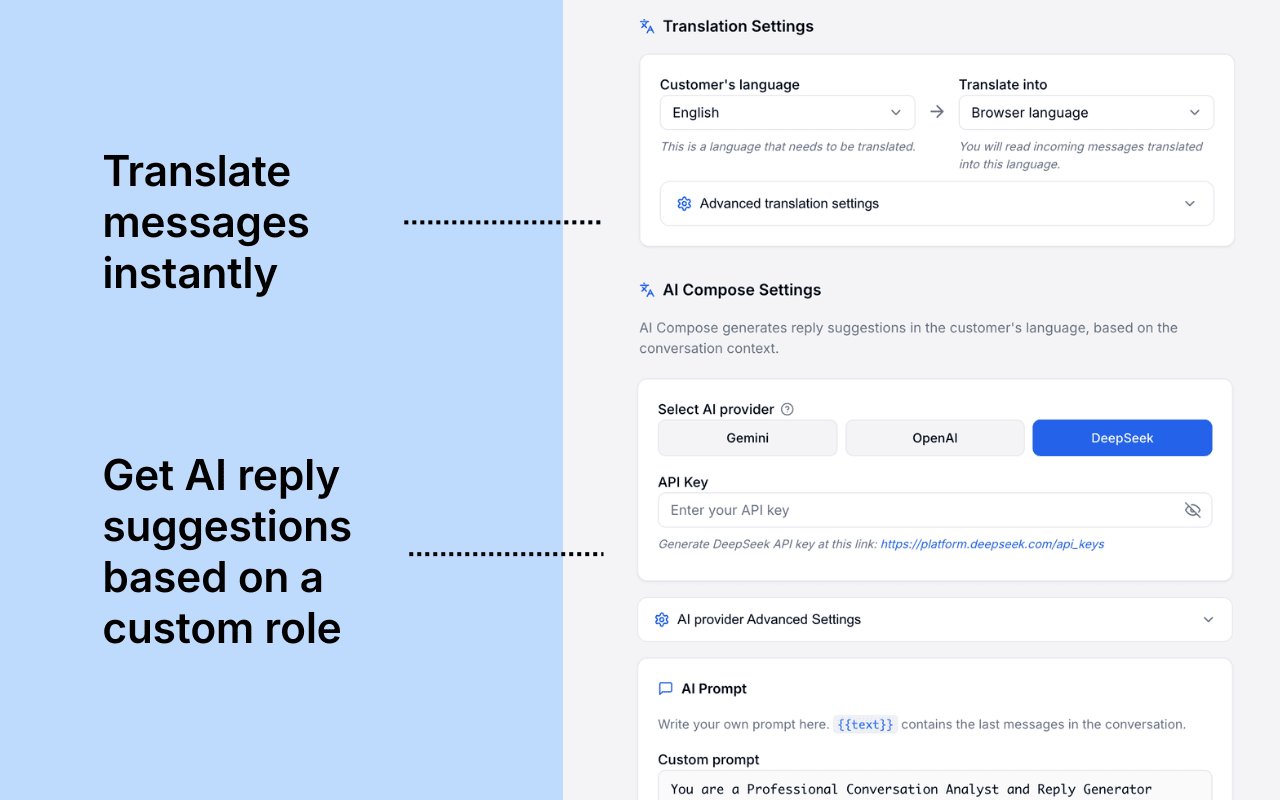
Inside the Inbox, Inbox4all translates incoming and outgoing messages. You choose the customer’s language, the language to translate into, and the engine: Google Translate or your own AI provider. It helps when a customer writes in a language nobody on the team speaks.
AI Compose drafts replies using Google Gemini, OpenAI or DeepSeek. You connect your own API key and write the prompt the extension uses. Add the {{text}} placeholder to your prompt and the extension includes the recent messages from the conversation, so the draft responds to what the customer actually said. If you want help writing that prompt, our Perfect Prompt Generator is a good place to start. You can also set the model name, max tokens and temperature.
How to set up Inbox4all
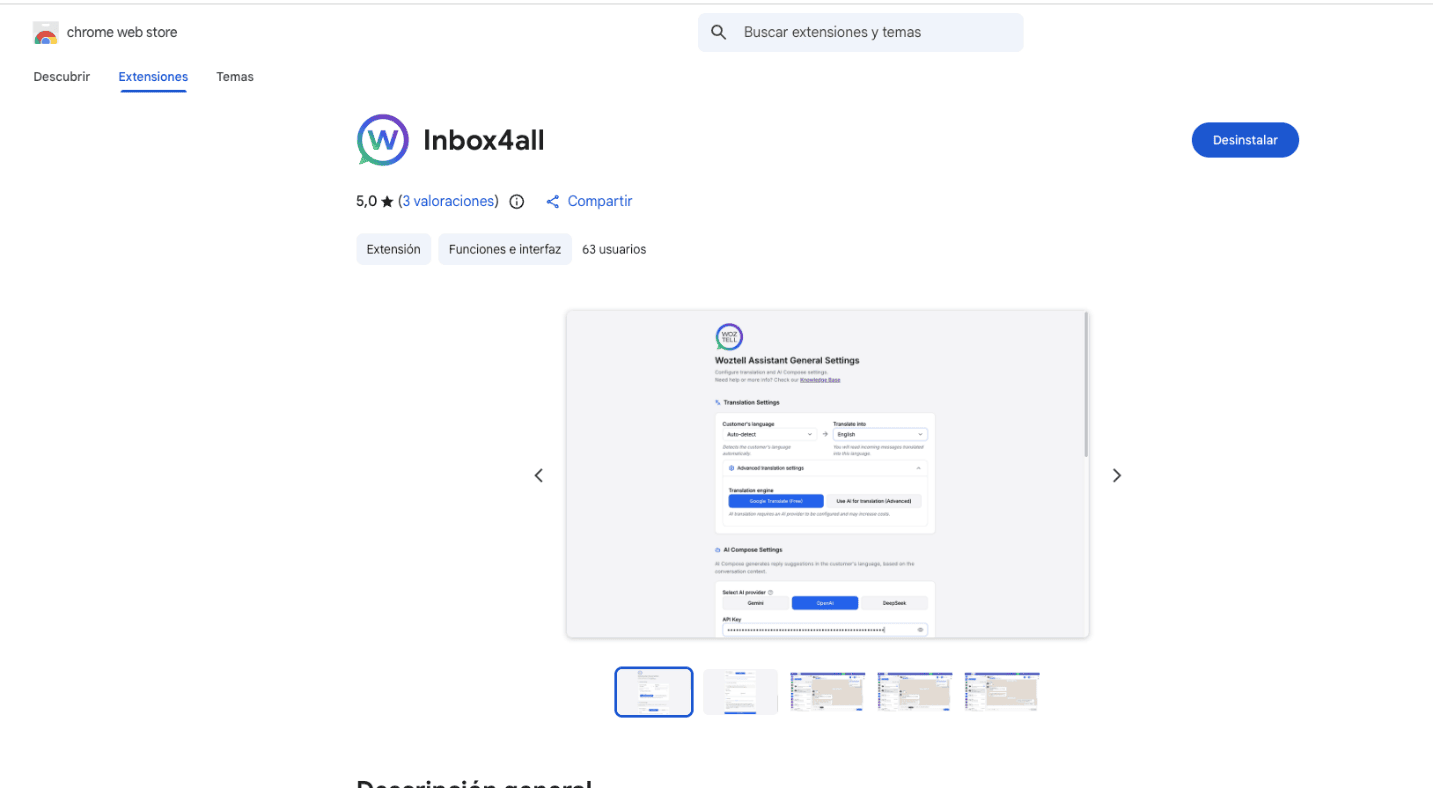
- Just go to https://chromewebstore.google.com/detail/inbox4all/kmdfhalfnggfdpogfkmmfhjkhlbdedkp, install Inbox4all from the Chrome Web Store, click the puzzle icon in Chrome’s toolbar and pin the extension.
- Open the extension, sign in to WOZTELL with email, Google or Facebook, and choose your organisation.
- Click the three-dot menu next to the extension and select Options.
- Turn on the sidebar tab and WhatsApp quick action. Set your translation languages and engine, and add your AI provider and API key if you want to use AI Compose.
- Click Save Settings.
The full guide, including troubleshooting, is in our support article.
https://support.woztell.com/portal/en/kb/articles/woztell-inbox-assistant-for-chrome
FAQs
Do I need a WOZTELL account to use Inbox4all?
Yes. You sign in with your WOZTELL account and choose the organisation you want to work in.
Which AI providers does Inbox4all support?
Google Gemini, OpenAI and DeepSeek, using your own API key. For translation you can also use Google Translate.
Can I message a number I’ve never chatted with before?
Yes. Click the icon next to a detected number to open it in the Side Panel, then start the conversation with one of your message templates.
Does Inbox4all work in other browsers?
No. Inbox4all is a Google Chrome extension, and the setup guide is written for Chrome.
What does beta mean for Inbox4all?
The extension is ready to use, but some features may change in future updates. If something doesn’t work as expected, write to support@woztell.com.
Try it in your Inbox
Install Inbox4all from the Chrome Web Store, follow the setup guide and turn on WhatsApp quick action: the next phone number you see on a web page will be one click away from a conversation.